C/C++ SOURCE LIBRARIES FOR EMBEDDED APPLICATIONS  
Product Groups Price/Buy Shopping List Home
 
Back button


Dot Matrix LCD module Driver Library
S1D13700, SED1335, RA8835, S1D13305 LCD controller family

FEATURES

  • All common dot matrix LCD sizes supported by the controller (configurable). For instance: 64x64, 128x64, 240x64, 240x128, 320x240, etc.
  • Library is designed for use with embedded processors. Small memory foot print
  • Can operate directly on display controller RAM. No need for a graphic video buffer in RAM
  • Written in C. Portable and C compiler independent with standardised I/O functions. Can be used with embedded processors supported by a C, C++, or EC++ standard-conforming compiler.
  • Character and text string functions
  • Tabs and column alignment support
  • Viewports with scroll, auto-wrap and auto-alignment
  • Switching between multiple viewports
  • Soft-font support.
  • Mono-space and Proportional fonts.
  • Black-on-White, White-on-Black.
  • Support for SED1335 hardware fonts and hard-font download
  • Support for extended character sets. Multibyte character strings, wide-char strings
  • Support for extended codepage tables, ISO-IEC 10646, and UNICODE.
  • Full UTF-8 support, incl conversion functions

  • Full support for Virtual Fonts, icons, and pictures stored in external memory devices.
  • Direct LCD memory I/O, or delayed update via RAM buffer
  • Graphic Line drawing and pixel setting
  • Graphic Rectangle and Block drawing
  • Graphic buffer Cut and Paste
  • Graphic Symbol and Icon support
  • Free user definition of special symbols
  • Support for typical GUI features:
    Topmenu, Pull-down sub-menus, Popup-menus, Bar-graphs, Progress bars, Visual softkeys, Touch screen support, icon animation etc.
  • PC-simulator for debugging of target applications with standard PC compilers
  • Comprehensive easy-to-read manual with examples
  • Library is supplied as C source code.
  • Company site license for the source codes.
  • No runtime license or royalties on compiled code.
  • This library package is optimized for the SED1335 display controller family
  • Graphic Controllers: SED1335, RA8835, S1D13305, SED1330, S1D13700
    and equivalents.

Description

Advanced GUI (Graphic User Interface) LCD driver library for Graphic S1D13700/ SED1335, RA8835 / S1D13305 LCD modules.
Be up and running with your graphic LCD module application using advanced features like symbol and icon display, soft-font text and line drawing, in just a few hours. Save weeks of hard programming.

The powerful and flexible function interface provides the basic drawing features which make it simple for a programmer to create screen data fields, pull-down menus, pop-up menus, progress bars, etc. The library facilitates the creation of any GUI "style" and "look" most suitable for a particular target application area.

The library supports soft fonts for both mono-space and proportional graphic text. All font handling is done transparently by the library. The programmer just selects the wanted font.

Font support for 8-bit character sets, extended 16-bit character sets, national ASCII character sets, ISO-IEC 10646, and UNICODE. Supports dynamic codepage look-up and segmented fonts. This makes it possible to reduce a large font so it only contains those character symbols used by the application, while the C text strings remain unchanged. Ideal for memory-constrained embedded systems.

Multiple viewports with wrap and scroll. This makes it easy to reserve areas on the display for icons and to prevent overwriting. Within a viewport text can be output as left or right aligned, cut at the edges, or centered horizontally and vertically. Each viewport can have its own font and codepage. Text scrolling can be done individually for each viewport.

Start programming and test before your hardware is ready. The PC-mode simulator for Windows supplied with the library allows you to program and test embedded S1D13700/ SED1335, RA8835 / S1D13305 LCD applications, using common PC compilers from Borland and Microsoft. Your LCD application source code will look the same in PC mode and target mode.

The library is written entirely in C using a standardized function syntax for basic I/O read and write. The library is supplied as C source code and can therefore be compiled with standard conforming C, C++, or EC++ compilers for all common embedded processor families. For instance: 80x51, 80x86, 80C167, 68HC11, 68HC16, 683xx, H8/300, H8/300H, H8S, M16, PIC17, PIC18, PIC24, PIC32, dsPIC, AVR, AT9x, ARM, etc.

The library functions are well modularized. Advanced features can be added successively to the basic S1D13700/ SED1335, RA8835 / S1D13305 LCD driver system. For instance: graphic support, viewport support, symbol and icon support and soft-font text support. This makes it easy to adapt the library to the requirements of your application, and optimize ROM and RAM memory consumption.

The same LCD driver function interface exists for different LCD controller types. This makes it easier to create portable and reusable application software. Changing to LCD modules using another LCD controller type is now a simple task.

Function overview Version 6.1-8.9
Basic initialization and error handling
ginit Initialize display module
ghw_puterr Initialize display and output an error message at the center of the display
gexit Release display resources
gsetupdate Activate / deactivate delayed update
ghw_err Report error status from hardware drivers
ghw_dispoff Turn off display screen
ghw_dispon Turn on display screen
ghw_loadsym Download hardware font
Basic text functions
gputs Print a string.
The string may be an (UTF-8) multi-byte encoded string.
gputch Print a character
gputcsym Print a symbol as a character
ggetcxpos Report cursor x position in character coordinates
ggetcypos Report cursor y position in character coordinates
gsetcpos Set cursor position in character coordinates
gsetpos Set cursor position in graphic coordinates
gsetcursor Set cursor size and type
ggetfw Default width of current font
ggetfh Height of current font
gfgetfw Default width of a named font
gfgetfh Height of a named font
ggetmbc Fetch a char or a multibyte character from a string. The string pointer is advanced to the following character
gstrlines Report number of text lines in a multi-line string
gsetspch Set text character spacing. Add extra pixel space between text string characters
ggetspch Report text character spacing
gsetspln Set text line spacing. Add extra pixel space between text lines
ggetspln Report text line spacing
Basic graphic functions
gcarc Draw corner arcs as full circle, half circle, quarter circle. Draw as perimeter, as filled area, or both.
gcircle Draw circle as perimeter or as filled area. Any perimeter fragment using any radius can be drawn. Center may be located outside screen.
gsetpixel
Write logical pixel using current viewport settings.
ggetpixel
Read pixel as logical value
grectangle
Draw a rectangular box using the current viewport setting.
groundrec Draw rectangle with rounded corners. Create any figure from a pure rectangle to a circle. Draw as perimeter, as filled area, or both.
gmoveto Set start position for line draw
glineto Draw line from last position to new position
ggetxpos Report current pixel x position
ggetypos Report current pixel y position
ghw_rdblk Read display area to buffer
ghw_restoreblk Write the display area stored in the buffer back to the same position as it was read by ghw_rdblk
ghw_wrblk Write buffer to display area
ghw_blksize Calculate needed buffer size for read block
Symbol (icon)
gputsym Output a graphic b&w symbol
ggetsym Read display area as a symbol
gfillsym Fill area with a b&w symbol
gsymsize Calculate minimum buffer size to hold a symbol
ggetsymw Get the pixel width of a character symbol using the current font
gsymh Report pixel height of symbol
gsymw Report pixel width of symbol
Viewport functions
ggetvp Report graphic viewport size
gsetvp Set graphic viewport size
ggetvpnum Report viewport number
gsetcvp Set character viewport size
gsetupvp Initialize all viewport parameters
ggetvpw Report current viewport width
ggetvph Report current viewport height
gselvp Select viewport to be current
gfillvp Fill rectangular area in viewport
ginvertvp Invert rectangular area in viewport
gresetvp Reset viewport to default
gresetposvp Reset viewport coordinates to full screen. Leave font and text mode setting unchanged
gclrvp Clear viewport
gsetmode Set normal, inverse, and alignment modes
gscrollcvp Scroll character viewport
gvpxl Report left edge coordinate for viewport
gvpxr Report right edge coordinate for viewport
gvpyb Report bottom edge coordinate for viewport
gvpyt Report top edge coordinate for viewport
ggetapp Get pointer to application-specific data for viewport
ggetvpapp Translate application-specific data pointer to viewport number
Tabulator functions in viewports
gsettab Set a tab position
gsettabs Set tab spacing
gclrtabs Clear tab(s)
Soft-font functions
gfgetcp Report codepage for a named font
ggetfont Report font for the current viewport
gselfont Select current font for viewport
ggetcp Report current codepage for viewport
gselcp Set current codepage for viewport
gpstrheight Report height in pixels of a multi-line string based on the current font
gpstrlen Report string length in pixels with current font
gpstrheight Report width in pixels of the longest line in a multi-line string based on the current font
gpwordlen Length in pixels of first word in string with current font
gcursorblink Cursor blink function
Display multi-screen functions
gscinit Initialize a newly allocated screen buffer and make it owner of the resources.
gscisowner Check if a screen buffer is the current owner
gscsize Calculate required size for screen buffer allocation
gscsave Save the complete screen and library settings in screen buffer
gscrestore Swap to another screen. Restore screen and library settings from screen buffer and make it the current owner
Wide-char text functions
(Require wide-char support from compiler)
gpstrheightw Report height in pixels of a multi-line wide-char string based on the current font
gpstrlenw Report length in pixels of a wide-char string based on the current font
gpstrheightw Report width in pixels of the longest line in a multi-line wide-char string based on the current font
gpwordlenw Length in pixels of first word in wide-char string with current font
gputsw Print a wide-char string
gputchw Print an extended character (wide-char or multibyte character)
Multibyte-char text functions
(UTF-8 or compressed multi-byte)
gwcmbsize Report number of multibyte characters needed to hold a wide character value
gmstrlen Multi-byte length of string in number of bytes (storage length)
gmstrlenw Report multi-byte string length needed to hold wide char string (storage length)
gmsstrlen Report logical symbol length of multibyte string (= corresponding size of widechar string)
ggetmbc Convert multibyte to wide character
gwctomb Convert widechar to multibyte
gwstrcpymb Copy and convert wide char string to multibyte string
gmbstrcpyw Copy and convert multibyte string to widechar string


For more information see also the LCD driver library FAQ list


Go to download of LCD driver and PC-simulator demos

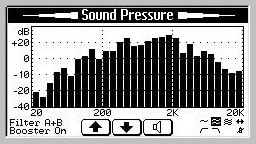
The demo uses the LCD PC-simulator supplied with the library package and demonstrates many of the features which become easily available when using the S1D13700 / SED1335 Graphic LCD driver package. The simulator uses the same pixel resolution as you will have with the real display hardware.


See also the Graphic LCD Icon Editor development tool
This tool makes it particularly easy for you to create your own graphic logo and symbols. With the LCD Icon Editor you can also create new soft fonts for the Graphic LCD library or import and convert standard soft fonts used on the PC.


See also the Extended Graphic Font library
Source library with a large number of ready made fonts. Support for Unicode, Iso8859 or Dos code-pages. Contains characters from many languages, for instance: all latin characters, Greek, Cyril, Armenian, Hebrew, Arabic, Thai, Georgian, Hangul, Ethiopic, Cherokee, Runic, etc. Can be used directly with the S1D13700 / SED1335 LCD driver library. Download Font Library data sheet

See also the Extended Asian Graphic Font library
Source library with large Asian fonts. Contains character symbols from many languages, for instance: Simplified Chinese, Traditional Chinese, Japanese, Korean, CJK unified ideographs, Katakana, Hangul, all latin characters, Greek, Cyrillic, etc. Can be used directly with the S1D13700 / SED1335 LCD driver library.


See also the IOTester development kit
IOTester is the easiest way a C/C++ program developer from the PC can get direct access to controlling LCD displays and other peripheral I/O hardware in an embedded system. With this tool embedded GUI interfaces can be tested on the PC, using common compiler tools, while all I/O operations are done on the real GUI hardware (for example write to LCD display, poll of keyboard, etc). This is the most convenient way to test the "look and feel" of a new GUI interface. Can be used directly with the S1D13700 / SED1335 LCD driver library.


See also the LCD interface prototyping board for 0.5, 0.8, 1.0, 1.2 mm pad pitch,
or LCD interface prototyping board for 0.3, 0.5 mm pad pitch
Prototyping board for easy connection to the flex print cables and FCC/FCB connectors used by some LCD modules. Conversion to standard ribbon cable connectors. Hole area for mounting of LCD related components.


Back button To top
Copyright© 2005-2008 RAMTEX International ApS. All rights reserved.