IconEdit - GLCD Font and Symbol Creator with Text Optimized font
IconEdit is a pixel based font editor, it saves GLCD fonts as C-source files.
IconEdit can convert build-in Windows fonts to bitmap GLCD fonts.
IconEdit has a large included font library, that is included as GLCD fonts.
Multi language fonts:

Batteri indicator and Virtuel buttons in color:
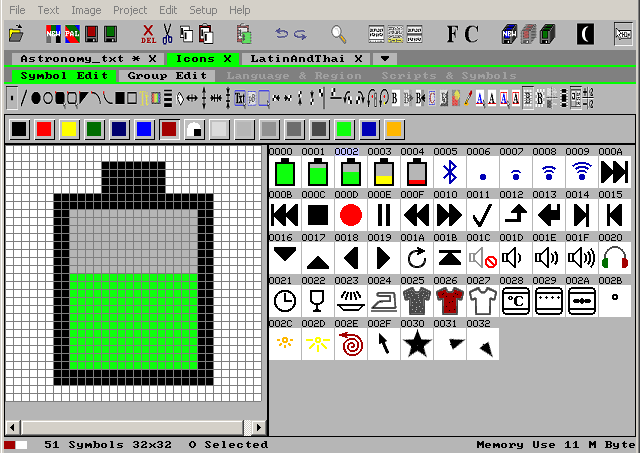
C-Source format: GLCD B&W, 2,4,8 bpp Alpha level Anti-Alias, and 4,8,16,24,32 bpp Color.
Runs on Windows Vista, 7, 8, 8.1, 10 or 11 with 1280x720 or bigger full color screen.
No installation on your PC: Just fetch and unpack the zip file and you are ready to go.
 Go to download of the IconEdit zip file.
 Fonts and Symbols as GLCD C-source code.
Language optimized Fonts.
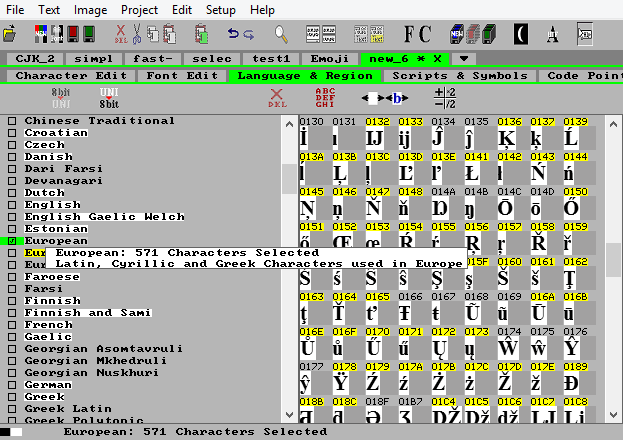
Just add languages in the tick boxes, and you are ready to go.
 More about International Fonts for multiple languages.
Text optimized Fonts.

Dont waste memory space on characters you will never need. Open a text catalog with C-Source text strings, and IconEdit will find all the texts and create a Unicode font with only the characters in the texts. This is essential for Chinese, Korean, and Japanese, where Unicode defines about 80000 characters, and you might only need a few hundreds. But even for short texts with large fonts it can save a lot of memory:
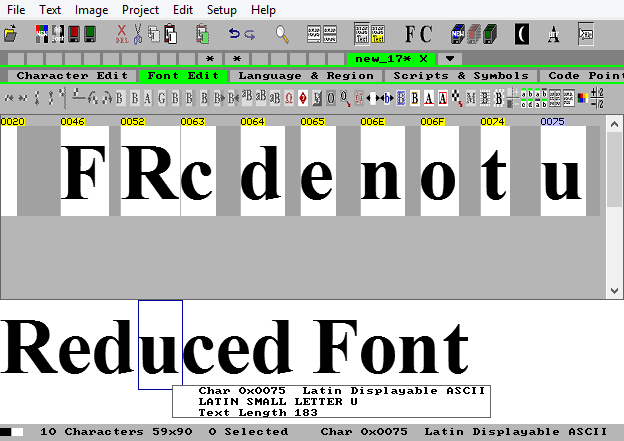
 ROM Optimized Fonts and Symbols.
Import Fonts from the European Font Library, the Net, or Windows fonts
The European Font Library is included in compressed form the download zip file.
The net has many free font libraries such as Name.bdf, that can be opened directly
The net also has font outlines such as Name.ttf or Name.otf that should be installed in Windows first, and then imported the same way as Windows native fonts.
Import from the European Font Library
This librady contain predefined european fonts in the range from 4x6 to 256x256, the smallest only in B&W, the larger fonts higher than 16 often in 2bpp greytone too.
Smallest GLCD font 4x6:

Largest GLCD font 256x256:

Import from the Windows Font Library
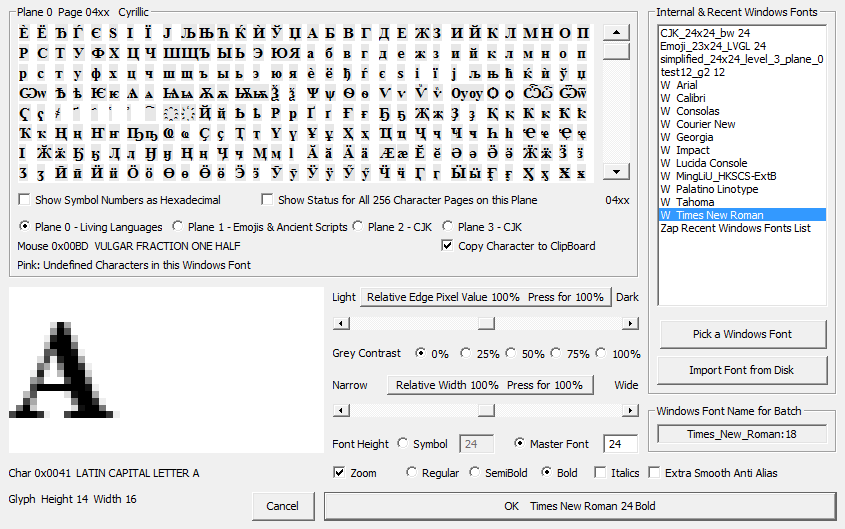
First select a Windows font, Choose size and options for character look, and use one of the font creation tools such as Language and Region.
Using Windows fonts for greytone fonts smaller than 16 is not recomended, and only some of them have B&W support for fonts smaller than that.
 The included European Font Library.
Extensive editing facilities for Fonts, Characters, and Symbols
The font edit toolbar:

The IconEdit font edit toolbar let you operate on the whole font or selected characters.
The character and symbol edit toolbar:

The IconEdit character and symbol edit toolbar let you draw and modify characters and symbols
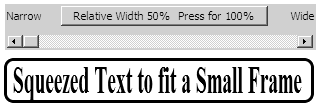
Stretch or squeeze characters:
Reduce memory footprint with color mode change
Choose between 18 different color modes to find your optimum:
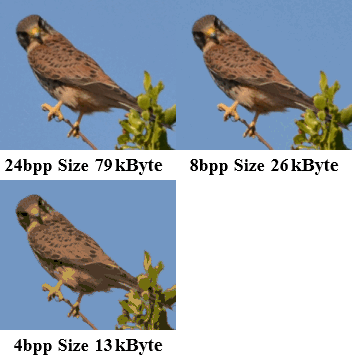
IconEdit can change any color mode to any other color mode simply by selecting a new color mode.
 Graphic drawing, Screen Previews, and Image conversion.
Asian Languages and High Plane Symbols

Indian text with combined ligatures
Many Asian languages are defined in Unicode as a combination of a basic character and one or more diacritics, that have to be combined to form a ligature before the text can be displayed correctly.
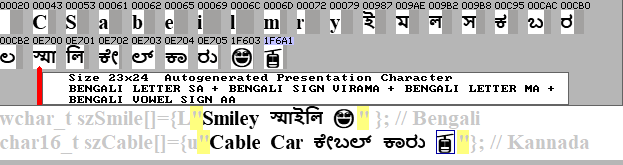
IconEdit can find these combinations and create a font with with the ligatures ready to use. As part of this process IconEdit also creates a modified text that you can use to display the combined characters directly.
High Plane 32 bit characters in 16 bit GLCD fonts
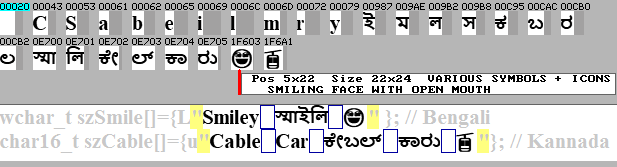
Unicode has support for almost all living languages in the 16 bit Unicode Basic Multilingual Plane 0, but dead languages, symbols, emoji, and rare Chinese ideograms are on the 32 bit Planes 1, 2, 3.
 Support for Middle Eastern and South Asian fonts.
Arabic Presentation Characters and Right to Left scripts
Arabic Presentation Character Conversion
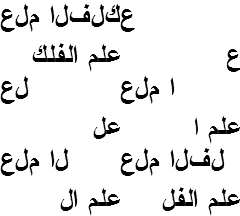
Arabic characters change look according to their place in a word, but it is written as a generic set of characters.
It is up to the display system to find the right shape in the Unicode area for Arabic Presentation Characters. IconEdit can help with that by creating new text strings where the generic characters are substituded with the presentation characters, so the new texts can be used directly.
Middle Eastern right to left alphabets

Many middle Eastern scripts are written from Right to Left, but the Unicode CodePoints are stored Left to Right. IconEdit can identify texts with these scripts and generate new modified (usually mirred) texts for use on normal text displays.

